Configure social login
At a glance
Let users sign in to the Citizen Science frontend with an external identity provider (Google, Microsoft, ORCID, …) by registering an OAuth application and adding it as a Social application in the Expert admin.
- Time: ~15 minutes per provider (most of it in the provider's console)
- Who: admins of a deployed instance
- Prerequisites: superuser access to the Expert admin; the instance reachable on the public URL you'll register with the provider
TRAPPER supports social login via django-allauth. The exact fields in each provider's developer console differ, so follow the django-allauth provider docs for provider-specific values.
How it works
The bundled providers are Google, Microsoft, Apple, Facebook, GitHub, GitLab, Auth0, ORCID, and OpenID Connect (the allauth.socialaccount.providers.* apps in the Expert settings). The Citizen Science Angular frontend talks to allauth through its headless API: on load, the login page fetches the allauth configuration, which lists every provider that has a configured Social application — each one renders as a login button automatically. No frontend configuration or rebuild is needed.
A first-time social login signs the user in and connects the social account to a TRAPPER account with the same verified email (SOCIALACCOUNT_EMAIL_AUTHENTICATION_AUTO_CONNECT), or creates a new account. Newly created accounts still follow the normal activation flow — see Users & roles.
Steps
1. Create an OAuth application with the provider
In the provider's developer console (e.g. Google Cloud Console → APIs & Services → Credentials, or Azure AD → App registrations):
- Set the authorized redirect / callback URI to your instance's allauth callback, e.g. for Google:
https://your-domain/account/google/login/callback/(the pattern is/account/<provider>/login/callback/— note the singularaccount, which is where this instance mounts allauth). - Note the Client ID and Client secret it issues.
2. Add a Social application in the Expert admin
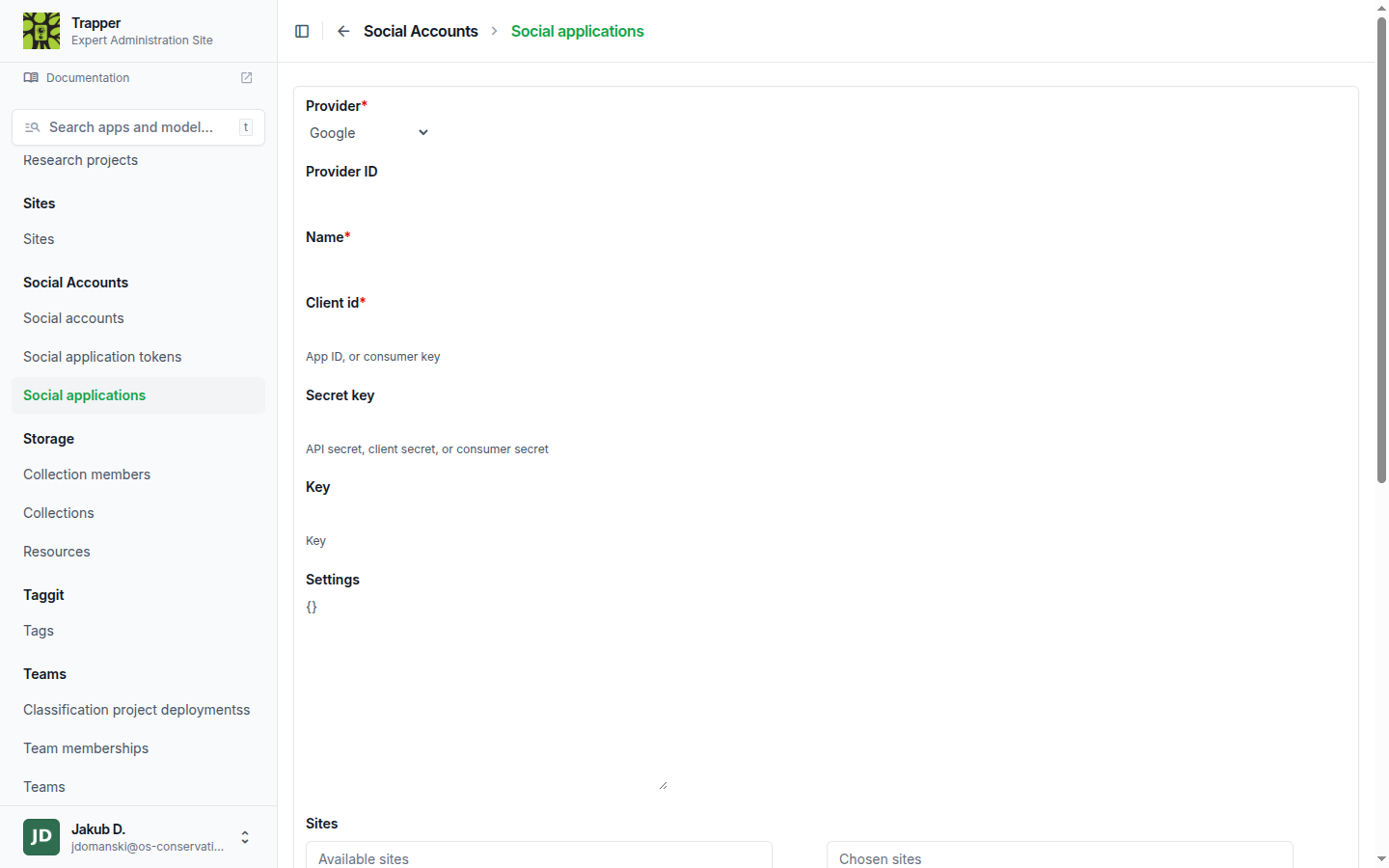
Go to Social Accounts → Social applications → Add (/admin/socialaccount/socialapp/):
- Select the Provider.
- Paste the Client ID and Secret key.
- Move your site into Chosen sites — the app only activates for sites it's assigned to (django
Sitesframework; a default site withSITE_ID = 1exists out of the box, but check Sites in the admin if your domain was never set there). - Save.
Verify it worked
Open the Citizen Science login page in a private/incognito window — a Sign in with <provider> button should appear immediately (the button list comes from the allauth config endpoint, so no restart is needed). Complete a test login; the created/connected user shows up under Social Accounts → Social accounts and in the User changelist.
Troubleshooting
Button doesn't appear on the CS login page
The provider only shows up once a Social application exists and is assigned to the current site. Check the Chosen sites box on the Social application, and that the Sites entry's domain matches how the frontend reaches the backend.
Provider error: redirect_uri mismatch
The callback URI registered with the provider must match the backend's public URL exactly (scheme, domain, trailing slash): https://your-domain/account/<provider>/login/callback/.
See also
- Users & roles — activating accounts created via social login
- django-allauth provider docs