Register & sync AI providers
At a glance
Get AI models registered as AIProvider rows on the Expert backend, so Classification Projects can submit jobs to them.
- Time: ~5 minutes for the standard sync; ~15 minutes for a manual provider
- Who: admins setting up AI inference for the first time, or wiring up a model not yet in
trapper-schemas - Prerequisites: an AI Manager connection and taxonomy imported
Before you begin
- AI Manager connection configured and reachable
- GBIF taxonomy imported (species mappings resolve against it)
An AI Provider (/admin/media_classification/aiprovider/) is a registered AI model that Trapper Expert can submit jobs to. There are two concrete subclasses (django-polymorphic):
- TrapperAIProvider — backed by a Trapper AI Manager instance (most common). Carries a
connectionFK to an AIProviderConnection. - ExternalAIProvider — a bare
AIProvidercreated manually for a model not registered on any connected AI Manager. Usable but uncommon; see Data model.
Trapper AI supports multiple deep learning architectures (Darknet, YOLOR, YOLOv5/v8/v9/v10/v11, RT-DETR, ViT). Bundled models you'll typically register include:
| Model | Type | Notes |
|---|---|---|
| MegaDetector v5 | Detection | General-purpose camera trap object detection |
| MegaDetector v6 (PyTorch Wildlife) | Detection | General-purpose camera trap object detection |
| DeepFaune v1.2/v1.3 | Classification | European mammal species classification |
| TRAPPER AI Species Classifier v02.2024/v08.2024 | Classification | European mammal species classification |
Steps
The admin wizard's step 5 does this once on a fresh deployment. The two underlying commands:
# On the AI Manager — registers PredictionModel + AIRuntime rows
#   from the trapper-schemas manifest.
python manage.py sync_models_from_schemas

# On the Expert — pulls the AI Manager's catalog + bundled
#   trapper-schemas category YAMLs, creates / updates AIProvider
#   rows, and resolves gbifSpeciesKey -> Species.taxon_id for each
#   species AttributeLabel. Idempotent.
python manage.py sync_ai_models
The full catalog of bundled models lives in trapper-schemas/src/trapper_schemas/data/model_manifest.yaml and the per-model species mappings under trapper-schemas/src/trapper_schemas/data/categories/. To add a new model: edit those files, cut a trapper-schemas release, bump the pinned rev in trapper/, trapper-ai/, and trapper-ai-worker/ pyproject.toml, then re-run the two sync commands.
Most operators won't need this — sync_ai_models covers the canonical case. Reach for the manual flow when wiring up a brand-new model not yet in trapper-schemas, or testing a one-off configuration.
-
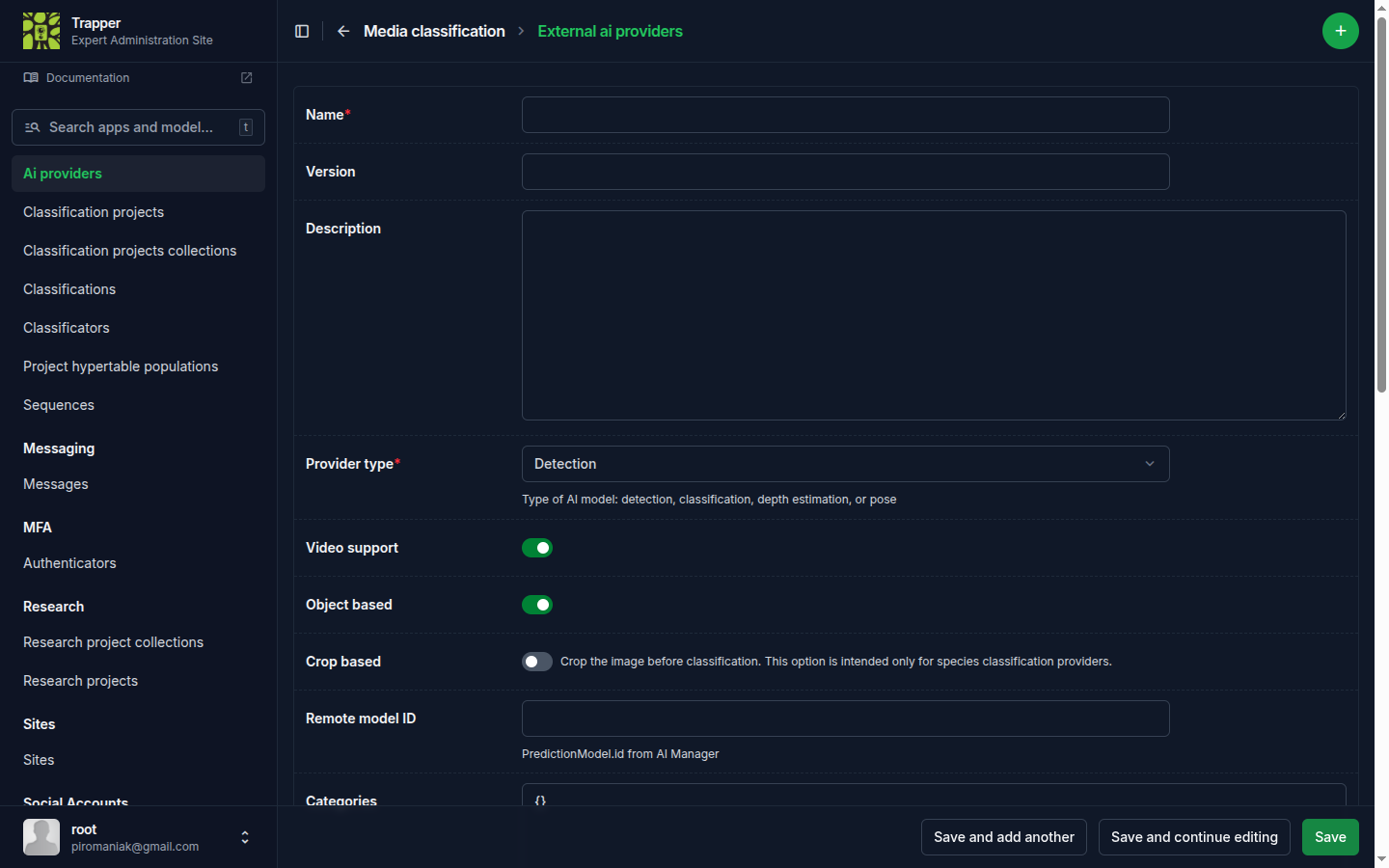
Navigate to Media classification → Ai providers, click the + icon, and pick trapper ai provider on the type-selection screen that appears first.
-
Set the basic identification fields: Name, Version, Description, Provider type (
Detectionfor MegaDetector-style models,Classificationfor species classifiers,Depth EstimationorPosefor the other job types), Connection (an AI Provider Connection pointing at your AI Manager), Remote model ID (thePredictionModel.idUUID from the AI Manager), Model file hash (SHA-256 of the weights file). -
Configure capability flags: Video support, Object based, Crop based (for classifiers operating on pre-cropped detections).
Confidence/skip thresholds moved to the Classification Project
Minimum confidence, Skip empty, and Skip missing labels used to be per-provider fields — they were dropped from AIProvider in favour of ClassificationProject.prediction_config, a per-job-type JSON config (Detection / Classification / Distance Calibration / Distance Estimation) on the Classification Project edit page. Set them there instead, not on the provider.
-
Provide the categories JSON (shape documented in the
CategoryMappingPydantic model intrapper-schemas). Minimal detection mapping:{ "attributeMappings": [ { "attributeType": "observationType", "labels": [ { "aiLabel": "1", "value": "animal" }, { "aiLabel": "2", "value": "human" }, { "aiLabel": "3", "value": "vehicle" } ] } ] }A classification mapping carries the species join keys:
{
  "attributeMappings": [
    {
      "attributeType": "species",
      "labels": [
        {
          "aiLabel": "0",
          "scientificName": "Meles meles",
          "commonName": "European badger",
          "gbifSpeciesKey": 5219243
        }
      ]
    }
  ]
}
On save,
sync_ai_modelsresolves eachgbifSpeciesKeyto a localSpeciesrow and writes the PK asspeciesIdon each label. -
Save. To keep manual edits to
categoriesfrom being overwritten on the next sync, untick Keep synced.
Two admin actions you should know about
Clone selected providers (keep_synced=False) — creates a copy of the selected AI Provider with keep_synced=False. Use this to fork a synced provider into an editable variant when you want to override the species mapping or thresholds without losing the synced original.
Create Classificator from AI Provider species mapping — generates a Classificator (the project-level field schema for classifications) from the species AttributeLabels in this provider's categories JSON. The resulting Classificator has species pre-populated with the rows the provider can predict, ready to be attached to a Classification Project.
Verify it worked
The AI Provider should appear in /admin/media_classification/aiprovider/ with Is active checked and a populated categories JSON. Check Last synced for a recent timestamp.
Troubleshooting
Species don't resolve (speciesId missing)
Confirm the taxonomy is imported (see Taxonomy) and that gbifSpeciesKey values in categories are valid GBIF keys.