Classify sequences
At a glance
Classify a Deployment's resources sequence-by-sequence in the Citizen Science frontend.
- Time: varies with dataset size
- Who: annotators
- Prerequisites: a Classification Project with a Collection attached (via a Classification projects collection row) and sequences built
There's one interface, not two
There is no separate "Expert" classify UI — the Django admin has menus and forms for configuring projects, deployments, and Classificators, but no draw-on-image or sequence-review tooling at all. All actual classifying — drawing boxes, picking species, stepping through sequences — happens in the Citizen Science frontend, regardless of whether the annotator is a casual volunteer or the project's own admin. The two "modes" some older TRAPPER documentation describes don't exist as separate applications in this version.
Steps
1. Log in and pick your project
Open the Citizen Science frontend and log in — see Citizen Science: first observations if this is your first time. You land on the project-selection screen, listing every project you're a member of.
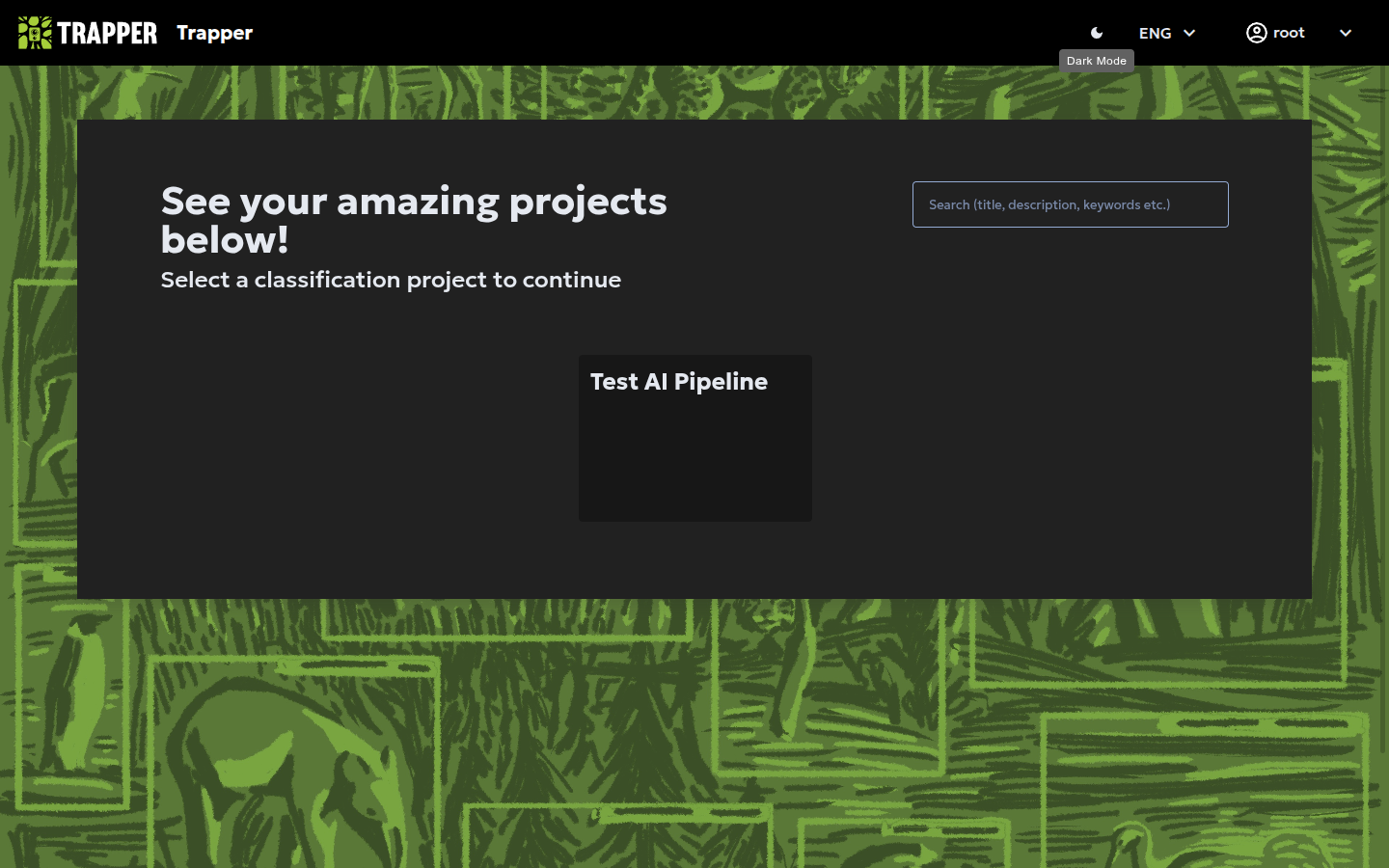
Click a project to open its dashboard.
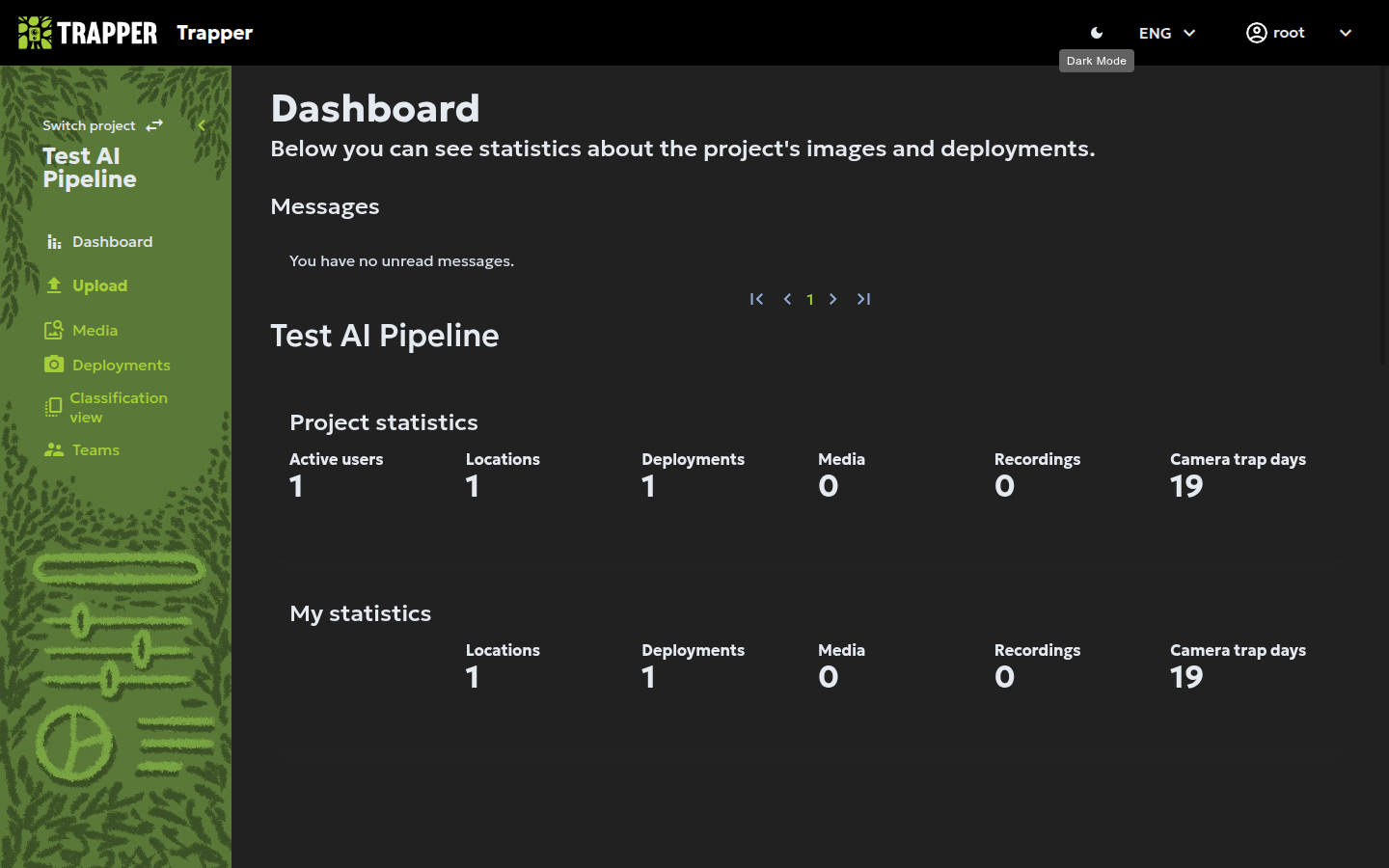
If you need to check or edit the project's configuration (Classificator, AI models, collections) rather than classify, that's done separately in the Expert admin — Media classification → Classification projects — see Create a classification project.
2. Attach the Collection and build sequences (if not done yet)
A project only sees a Collection's resources once a Classification projects collection row links the two — Expert admin, Media classification → Classification projects collections → +, pick Project + Collection. Then, on that same list, tick its row and run (Re)build sequences for selected collections, specifying a time interval (default 5 minutes; 15 minutes is common in practice). See Create a classification project, step 5 for the full mechanism.
3. Pick a Deployment
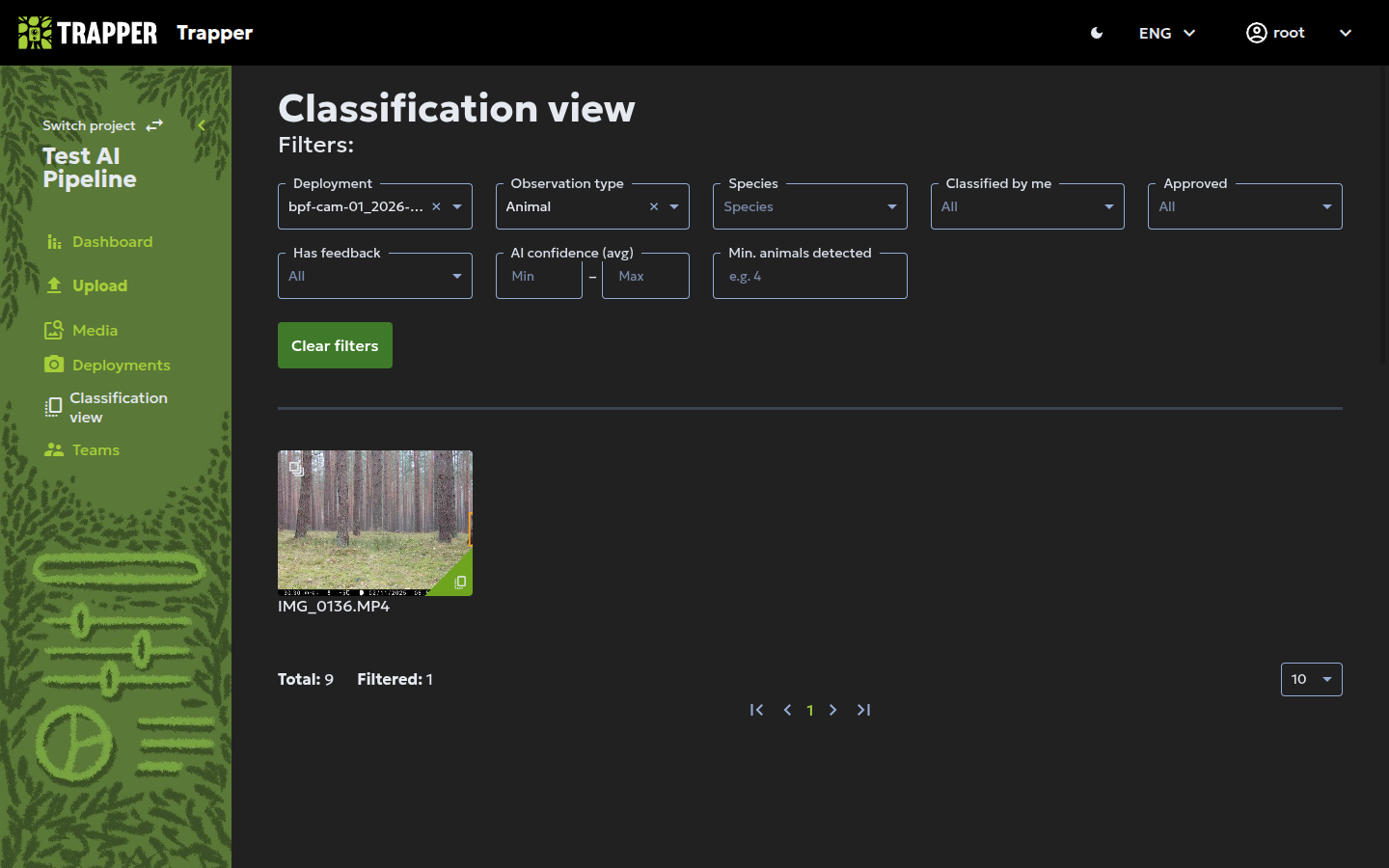
In the left sidebar, open Classification view, then pick your Deployment from the Deployment filter. A grid of thumbnails appears below — one per resource, with a green corner mark on resources already classified.
Warning
Only start classifying a Deployment if none of its resources are marked classified yet, and finish all of it once you start; if you can't finish, contact your admin.
4. Review a sequence
Click a thumbnail's Classify link to open it.
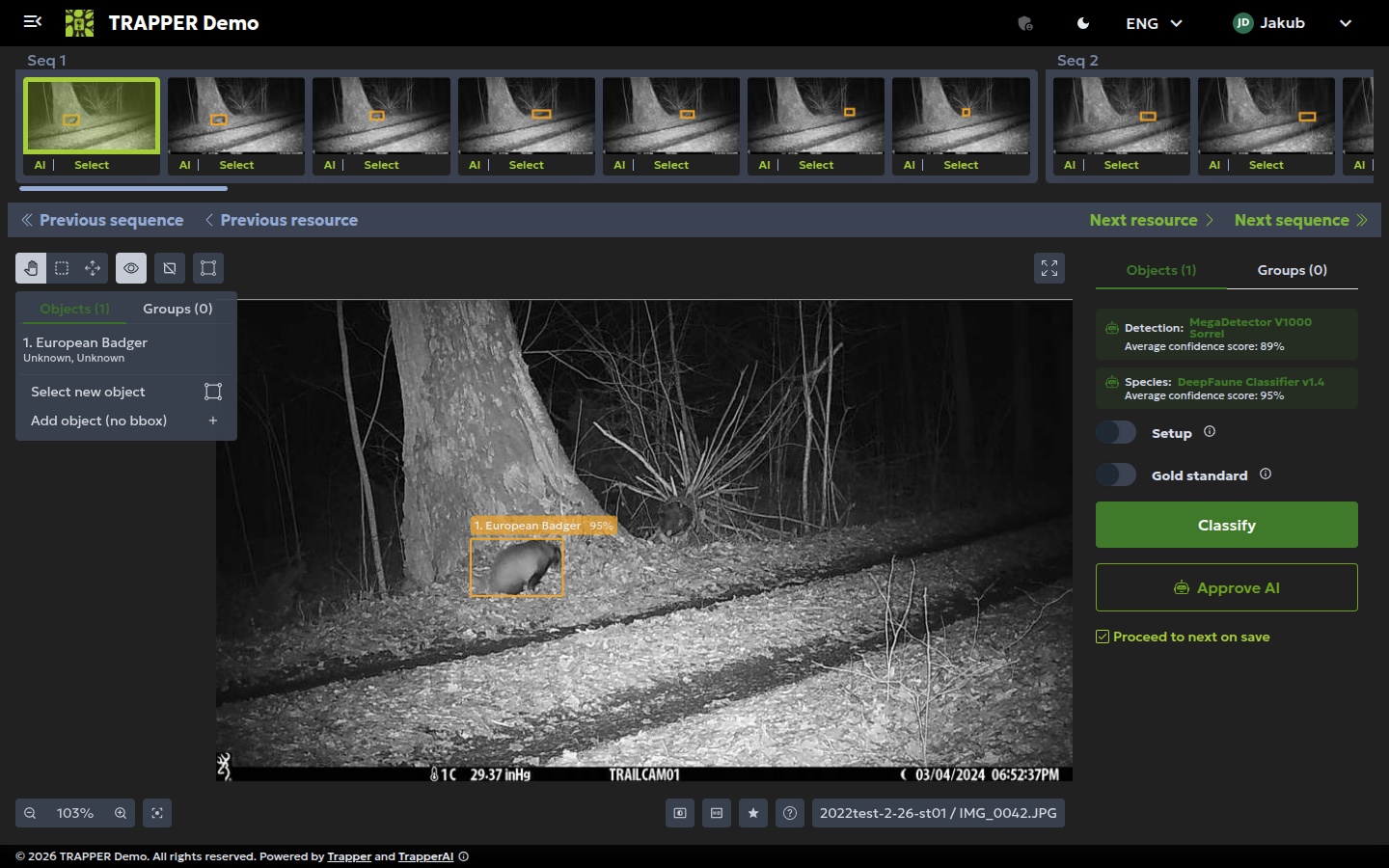
The strip along the top shows every resource in the same Sequence, labelled Seq 1, Seq 2, … — step through it with the strip, or the Previous/Next resource and Previous/Next sequence buttons, reviewing the whole burst before classifying (some individuals are easy to miss in a single frame).
5. Classify
Each thumbnail in the strip has a Select toggle — turn it on for every frame in the sequence that should get the same classification, so you classify the whole burst in one go instead of frame-by-frame. On the resource itself, click Select new object and draw a box (or Add object (no bbox) for a non-drawable observation), then fill in:
| Required field | Meaning |
|---|---|
| Observation type | Human / Vehicle / Animal / Blank / Unknown / Unclassified |
| Species | From the Classificator's species list |
| Count | Number of animals/humans/vehicles; default 1 |
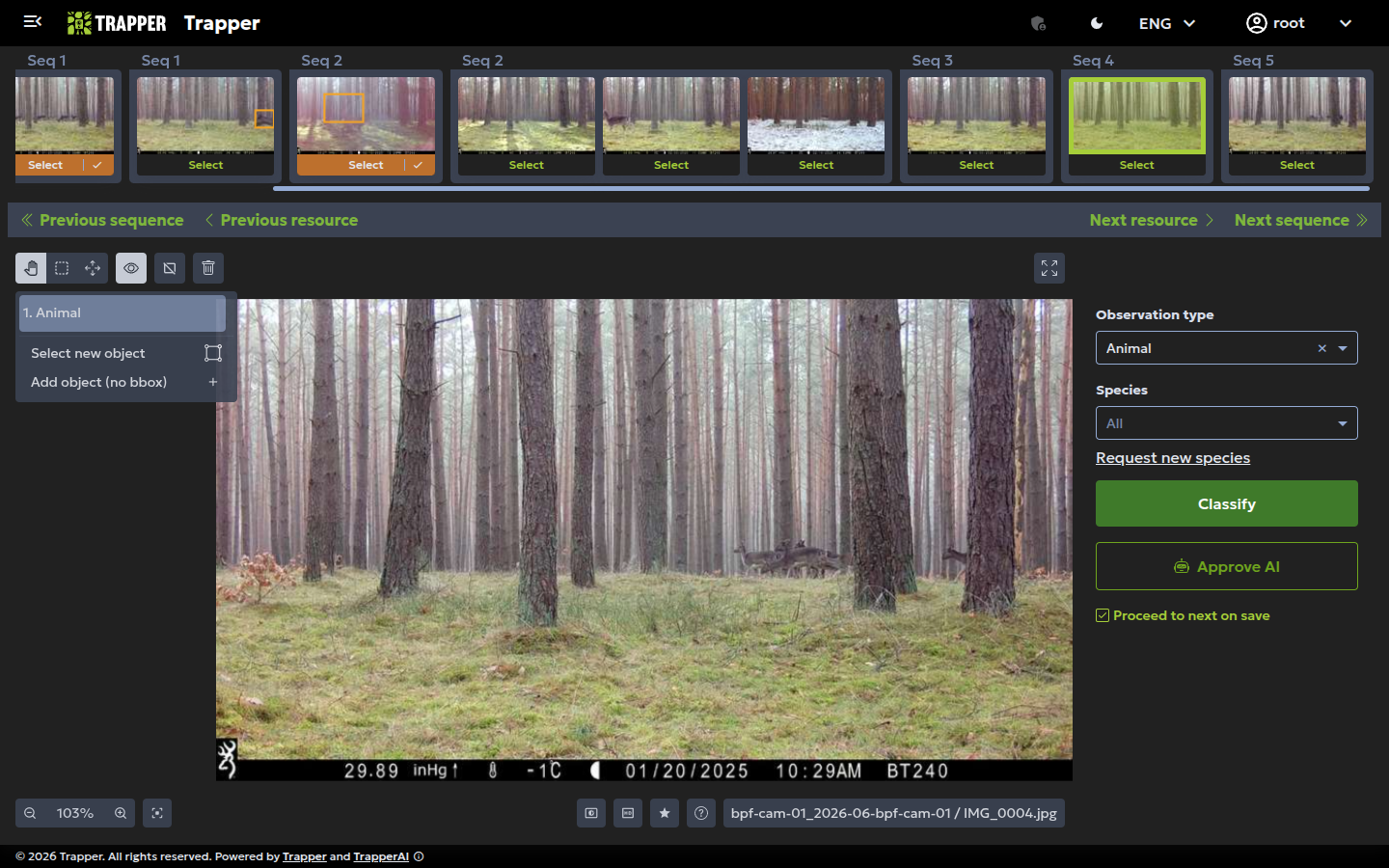
Add a row per object when several are present with different attributes. Click Classify to save, then move to the next sequence.
Classifying here saves it as your own classification — it doesn't automatically approve it. See Run & re-run the AI pipeline and Your first research project, step 9 for the separate Expert-admin approval step (Media classification → Classifications, filter by project, Approve USER).
Verify it worked
Back in the Citizen Science frontend, the Deployment's classified-resource count should rise and classified resources show a green corner mark. In the Expert admin, Media classification → Classifications filtered to your project should show new USER rows for the resources you classified.
Conventions that keep data clean
- Classify empty images (including trailing empty frames at the end of a sequence) as
observation_type = Blank. - A person with a dog needs two observations: one
human/Homo sapiens, oneanimal/Canis familiaris. - Groups: if one image shows the whole group, classify per-picture for retention-time estimates. For big or never-fully-visible groups, classify the whole sequence with the maximum count seen in any single frame.