Run & re-run the AI pipeline
At a glance
Submit AI inference for a collection, monitor the resulting jobs, and re-run when configuration changes or a run fails.
- Time: submission is instant; runtime depends on collection size and hardware
- Who: project admins managing AI runs
- Prerequisites: a classification project with AI models configured
Before you begin
- A Classification Project exists with an object-detection (and optionally species) AI model configured
- You have admin access to the Expert Django admin
Running automatically
When a Classification Project has object_detection_ai_model (and optionally species_ai_model) set, every newly uploaded resource is submitted to the AI Manager automatically — no manual step needed.
Re-running on existing data
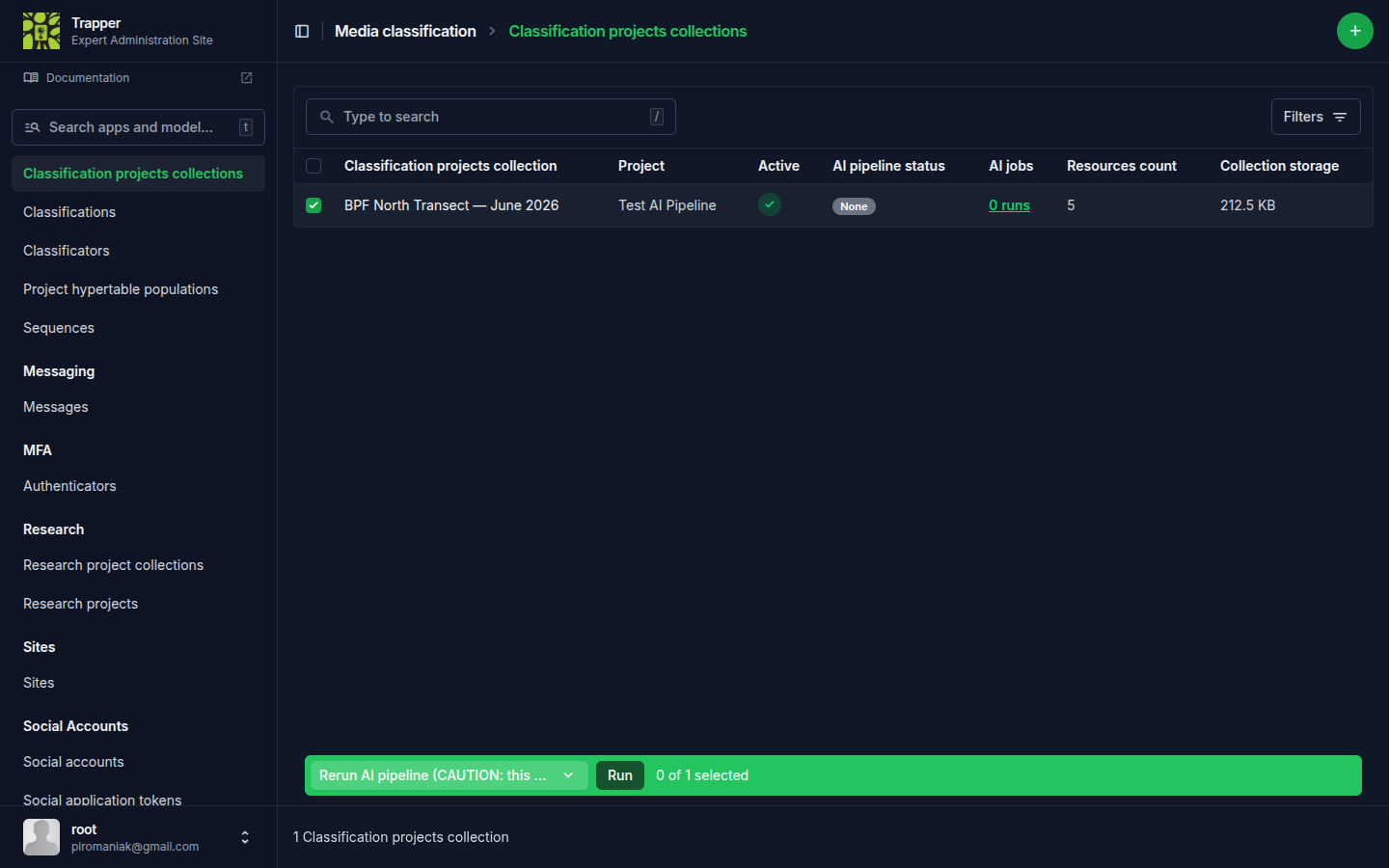
When you change AI provider configuration or want to re-run inference on existing data, use the changelist action on Classification Project Collections (/admin/media_classification/classificationprojectcollection/).
Rerun AI pipeline (CAUTION: this will overwrite existing results!) (rerun_ai_pipeline) — re-submits the resources in each selected (project × collection) pair to the AI Manager, overwriting existing AI Classifications. Approved USER Classifications are not touched.
Warning
Use sparingly on large collections — re-inference can take hours per thousand videos.
Custom one-stage runs
Run custom AI classification (detection or species) (run_custom_ai_classification, same changelist; also available per-row as Run custom AI) — a one-stage run that bypasses the project's configured AI models. An intermediate form asks for either a detection model or a species model (exactly one), plus its job configuration; the job_config comes from that form, not from the project's prediction_config.
A custom species run doesn't re-detect: it feeds the classifier the already-existing animal bounding boxes (from a previous detection run or user-drawn boxes), so it only covers resources whose approved/source classification has at least one ANIMAL object with a bbox. Use it to try a different classifier on existing detections without re-running the expensive detection pass. All selected collections must belong to the same classification project.
Monitoring jobs
Each AI run is recorded as an AI Classification Job (/admin/media_classification/aiclassificationjob/) with a UUID, a snapshot of the exact job_config JSON that was submitted, and a link to the corresponding UserRemoteTask row tracking the remote AI Manager job's lifecycle.
Two actions help when a job is stuck:
Update status from AI Manager (update_status) — re-fetches the latest remote status from the AI Manager. Run after restarting the AI Manager, or when the Celery task that normally polls statuses has been killed.
Re-parse results (reparse_results) — resets the job to the fetch_results stage and retries the result-parsing path. Useful when post-processing failed (e.g. a malformed categories mapping caused species resolution to crash) — fix the underlying issue, then trigger this action to ingest the existing AI Manager result without re-running inference.
Verify it worked
Inspect the job's job_config JSON to see exactly what was submitted — the chosen minimum_confidence, skip_empty/skip_missing_labels flags, tracker selection, depth configuration if applicable. This is the single point of truth for "what did this run actually do?"

Troubleshooting
Job stuck in a non-terminal state
Run Update status from AI Manager first. If that doesn't resolve it, check the AI Manager's own job view and Celery worker logs.
Job failed during result post-processing
Check the job's error detail, fix the underlying cause (often a categories mapping issue), then run Re-parse results instead of re-submitting the whole job.